PERSONAL REFLECTION:
Not a lot to share aside from that I wish coding came easier to me… it does start to get really fun once you get things to work how you want them to but it definitely is hard for me to wrap my mind around all the concepts. Computers sure do have weird lil brains.
⋅˚⋆✮ ˚。⭒。˚✮⋆.˚ ⋅
ASSIGNMENT // CREATE A SKETCH:
“Create an interactive artwork that implements the concept of repetition with variation. Use at least one for loop. (Note that this assignment might be easier if you consider making it non-interactive—try putting noLoop(); in your setup() function.)”
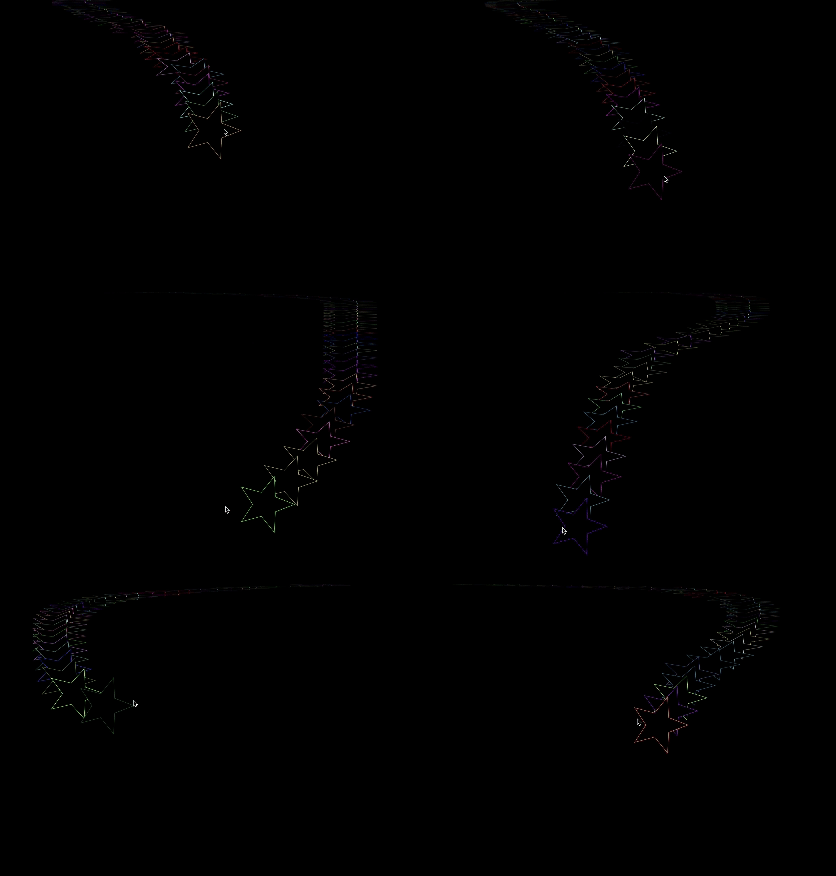
For my homework I decided to make a play off of the ‘loop’ concept and create something that included loops in the code as well as created a visual feedback loop (like what happens when you point your phone camera at a mirror). And because it was not enough to have it be just white on a black background, I decided to make a rainbow star which reminded me of the immunity star in Mario Kart. And so star loops came to be! ᯓ⋆˚。⋆✮
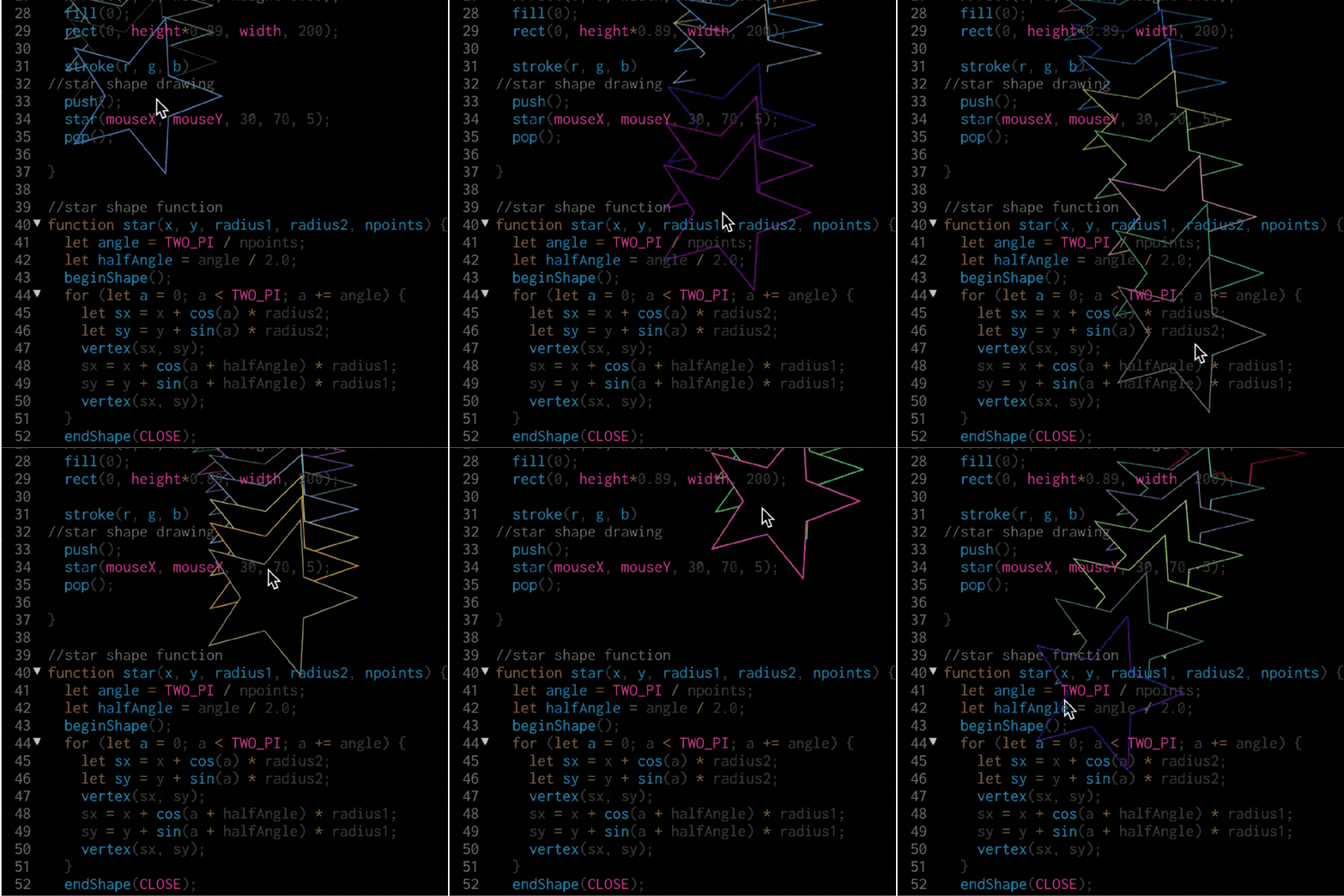
The first thing I did was try to come up with a way to make the star. I had an idea of how to make the shape but could not get everything to line up properly and knew I needed to make it a contained item in order to repeat it so I turned to coding tutorials to help me out. I watched through a few to try and get one that I thought would work for the overall concept I had in mind.
In the end, I used a combination of variations of pi (used in measuring circular shapes) and put it all within a function so it could be called on to repeat during the sketch.
//star shape function
function star(x, y, radius1, radius2, npoints) {
  let angle = TWO_PI / npoints;
  let halfAngle = angle / 2.0;
  beginShape();
  for (let a = 0; a < TWO_PI; a += angle) {
    let sx = x + cos(a) * radius2;
    let sy = y + sin(a) * radius2;
    vertex(sx, sy);
    sx = x + cos(a + halfAngle) * radius1;
    sy = y + sin(a + halfAngle) * radius1;
    vertex(sx, sy);
  }
  endShape(CLOSE);
After that I let the star shape follow the mouse so that the user could move the star around and see the repeating loop effect.
//star shape drawing
  push();
  star(mouseX, mouseY, 30, 70, 5);
  pop();
After that I made the ‘r’ ‘g’ and ‘b’ values all variables that could be manipulated with randomness. For this part I also had to do some research so I could make the colors randomly cycle through for each drawing of the star. These are the pieces that together made the rgb flashing star.
//setting up these values for random colors
var r;
var g;
var b;

function draw() {

//random color generator for star stroke
  r = random(255);
  g = random(255);
  b = random(255);

stroke(r, g, b)
}
And ended it with the code that allows for feedback loops which I found an awesome tutorial on after digging around to find something that I felt would work with the star function I had made.
//feedback
  let gg = get()
  image(gg, 0, 0, width, height*0.89)
  noFill()
One thing I struggled with was that the stars ended up repeating and printing onto the canvas. In order to help with that I brought the assignment to class and Professor Parrish helped me come up with the solution of including a black rectangle to give it a cleaner look. You can see an older version of the sketch here where if you take the star to certain areas of the canvas it draws it to the canvas resulting in a more chaotic effect and less reminiscent of the feedback loop look I was going for. ᯓ⋆˚。⋆✮
Overall this project was a lot of cobbling together things that I didn’t know how to do in the slightest and then finding people who had done little pieces similar to what I was trying to accomplish and follow their lead. The whole concept of loops is kind of difficult for me to wrap my head around and I definitely didn’t make it easier by trying to understand how things function with pi as a measurement along a circle.
I will say that I think if I had coding to help me understand math and learn in tandem I think it would have been really helpful for me growing up. Seeing how some of these details come together gives a lot more context for mathematical concepts I struggled with in classes like geometry.
⋅˚⋆✮ ˚。⭒。˚✮⋆.˚ ⋅
Here are the things I would love to incorporate in future iterations of this sketch:
- Make it sound reactive in some way
I think it would be interesting to make it sound reactive (maybe size or color change slightly changes to beat?) and add in the music from Mario Kart when you activate the immunity star power up. - Layer this effect with other elements
Like in the glitch art I do, I would be interesting to create a collage effect and layer this piece in with other elements in the sketch.
Shout out to all the people who share their work with the world for the rest of us to admire and learn from! Here are some resources I found helpful throughout this process:
- p5.js Code References
(used specifically for review on loops and creating variables for the colors) - p5.js archive post on star examples to help me with the star shape function
- The Coding Train YouTube tutorial on mouse interaction
- Tutorial on the ‘get()’ function to create feedback loops in p5.js by ‘Patrick’ hosted on OpenProcessing
- A p5.js sketch that helped me with the random color set up by aferriss
- Intro to Computational Media class to help with the overall look and creating a more polished ‘feedback loop’
⠀⠀⢀⠀⠀⠀⠀⠀⠀⠀⠀⠀⣀⣀⡠⢣⠀⠀⠀⠀⠀⠀⠀⠀⠀⠀⠀⠀⠀⠀
⠀⢸⢉⡗⠀⠀⠀⠀⠀⠀⠀⠀⠈⡆⠀⠈⡱⠖⠀⠀⠀⠀⠀⠀⠀⠀⣄⣠⠆⠀
⠀⠀⠀⠁⠀⠀⠀⠀⠀⠀⠀⠀⠰⠓⠒⢴⠀⠀⠀⠀⠀⠀⠀⣀⠀⠀⢨⠀⣰⠃
⠀⠀⠀⠀⠀⠀⠀⠀⠀⠀⠀⠀⠀⠀⠀⠀⠀⠀⠀⠀⠀⢀⠜⢹⡀⠀⠀⠀⠈⠀
⠀⠀⠀⠀⢠⣀⣶⠀⠀⠀⠀⠀⠀⠀⠀⢤⢀⣀⣀⣀⡠⠋⠀⠀⢇⠀⠀⠀⠀⠀
⠀⠀⠀⠀⠀⡇⣄⠊⠁⠀⠀⠀⠀⠀⢀⡨⢦⠀⠀⠀⠀⠀⠀⠀⠘⠒⠤⣀⡀⠀
⠀⠀⠀⠀⠀⠀⠈⠀⠀⠀⠀⡀⠔⠊⠁⢀⡀⠳⡀⠀⠀⠀⠀⠀⠀⠀⠀⣀⠼⠋
⠀⠀⠀⠀⠀⠀⠀⠀⣀⠔⠈⡀⠄⠂⠉⢀⡀⢰⠁⠀⠀⠀⠀⠀⠀⡴⠊⠁⠀⠀
⠀⠀⠀⠀⠀⠀⡠⢊⠠⠒⣁⠤⠐⣀⡁⠤⢤⠃⢀⣀⡠⢄⡀⠀⠀⡇⠀⠀⠀⠀
⠀⠀⠀⠀⡠⡪⢐⡡⢐⠩⠐⠊⠁⠀⠀⠀⠚⠉⠉⠀⠀⠀⠙⠢⣀⡇⠀⠀⠀⠀
⠀⠀⢠⡪⡪⡲⠕⠈⠀⠀⠀⠀⠀⠀⠀⠀⠀⠀⠀⠀⢀⠀⠀⠀⠈⠃⠀⠀⠀⠀
⠀⣰⣿⠞⠉⠀⠀⠀⠀⠀⡄⡰⡆⠀⠀⠀⠀⠀⠀⢐⣌⡶⠀⠀⠀⠀⠀⠀⠀⠀
⡰⠋⠀⠀⠀⠀⠀⠀⠀⠀⣸⠤⡐⠁⠀⠀⠀⠀⠀⠀⠀⠃⠀⠀⠀⠀⠀⠀⠀⠀
 itp oddities
Leave a comment